


I have an AcuRite weather station bolted to the back of the house and a couple of cheap 433 MHz temp/humidity sensors scattered around the garage and crawlspace. None of them speak Wi-Fi. None of them know what Home Assistant is. They just chirp out raw RF packets every 30 seconds and hope something is listening.
That something is rtl_433 — an open-source decoder that turns a $25 USB SDR dongle into a universal 433 MHz receiver. Pair it with an MQTT broker and Home Assistant suddenly has live readings from every wireless sensor in the house.
This post is the working setup: a Dockerised rtl_433, an env-driven entrypoint that handles both Compose and k3s, and a manifest pinned to whichever Pi has the dongle plugged in.
What you’ll need
The sensors
I run two AcuRite kits and rtl_433 decodes both with no extra config.
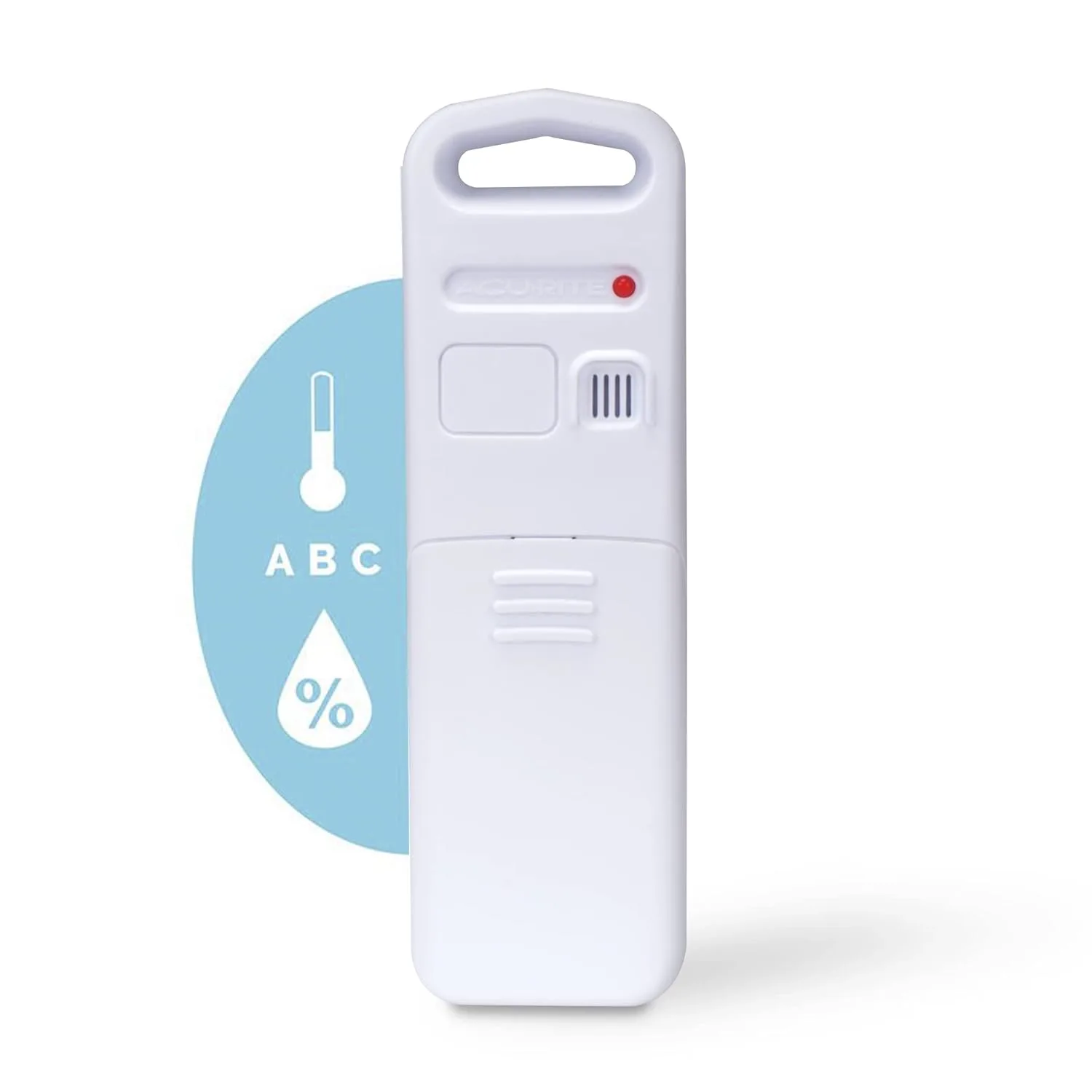
AcuRite Notos 3n1 (TXC) — outdoor sensor with temperature, humidity and wind speed in one waterproof shell. This is the one mounted outside. Buy on Amazon
AcuRite indoor temperature/humidity sensor — small puck that lives inside on a shelf. I have a few of these in different rooms. Buy on Amazon
rtl_433 understands Acurite, LaCrosse, Oregon Scientific, Ambient Weather, and a long tail of other 433 MHz protocols. If it transmits in the ISM band, odds are it is already supported.
The SDR dongle
You need an RTL-SDR USB dongle. The chipset to look for is the RTL2832U + R820T2 — that is what every dongle in the rtl-sdr ecosystem speaks to.
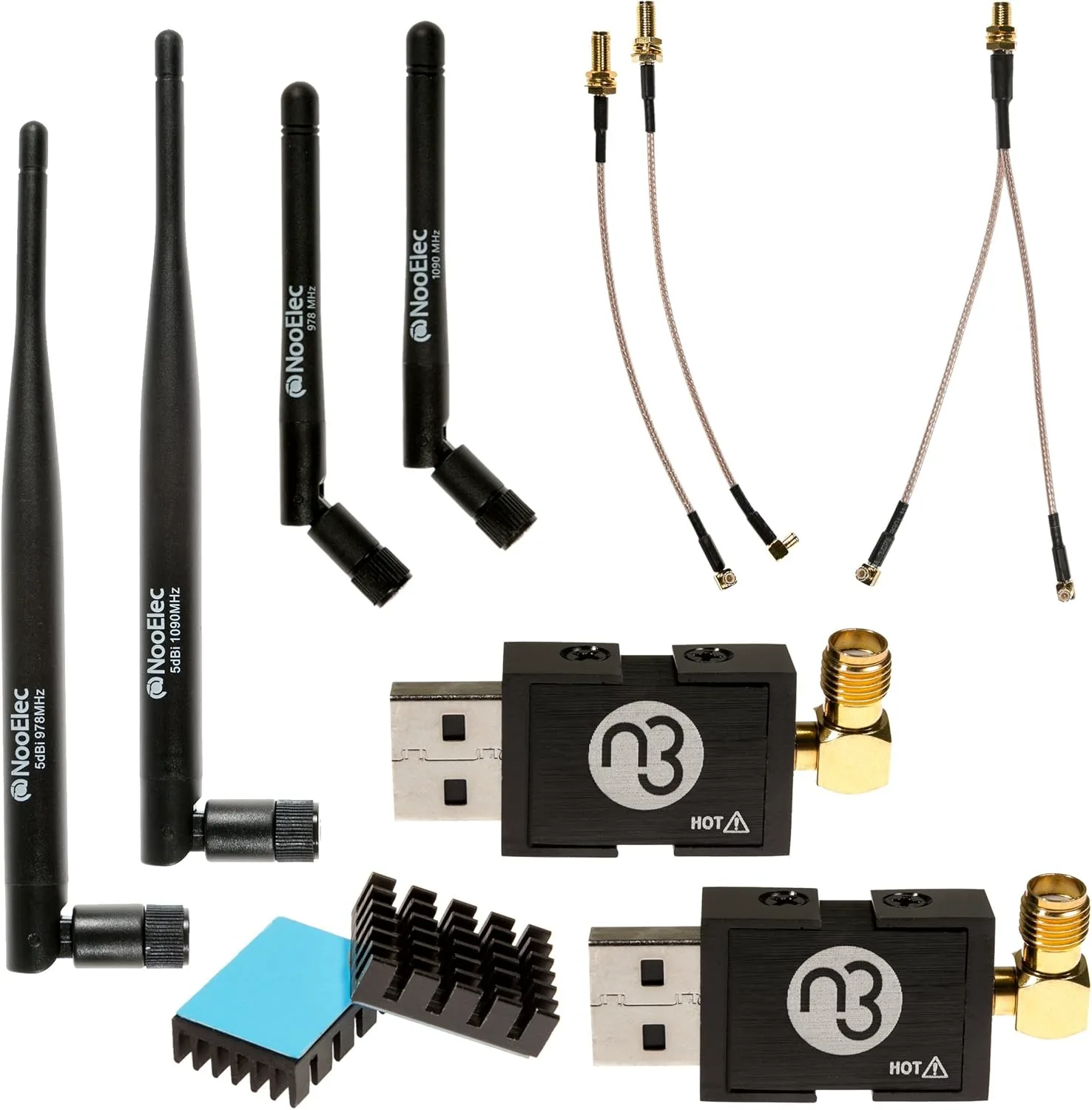
Nooelec NESDR Nano 3 (Premium ADS-B) — what I run on the Pi cluster. Tiny, dual-band, well-shielded. Buy on Amazon
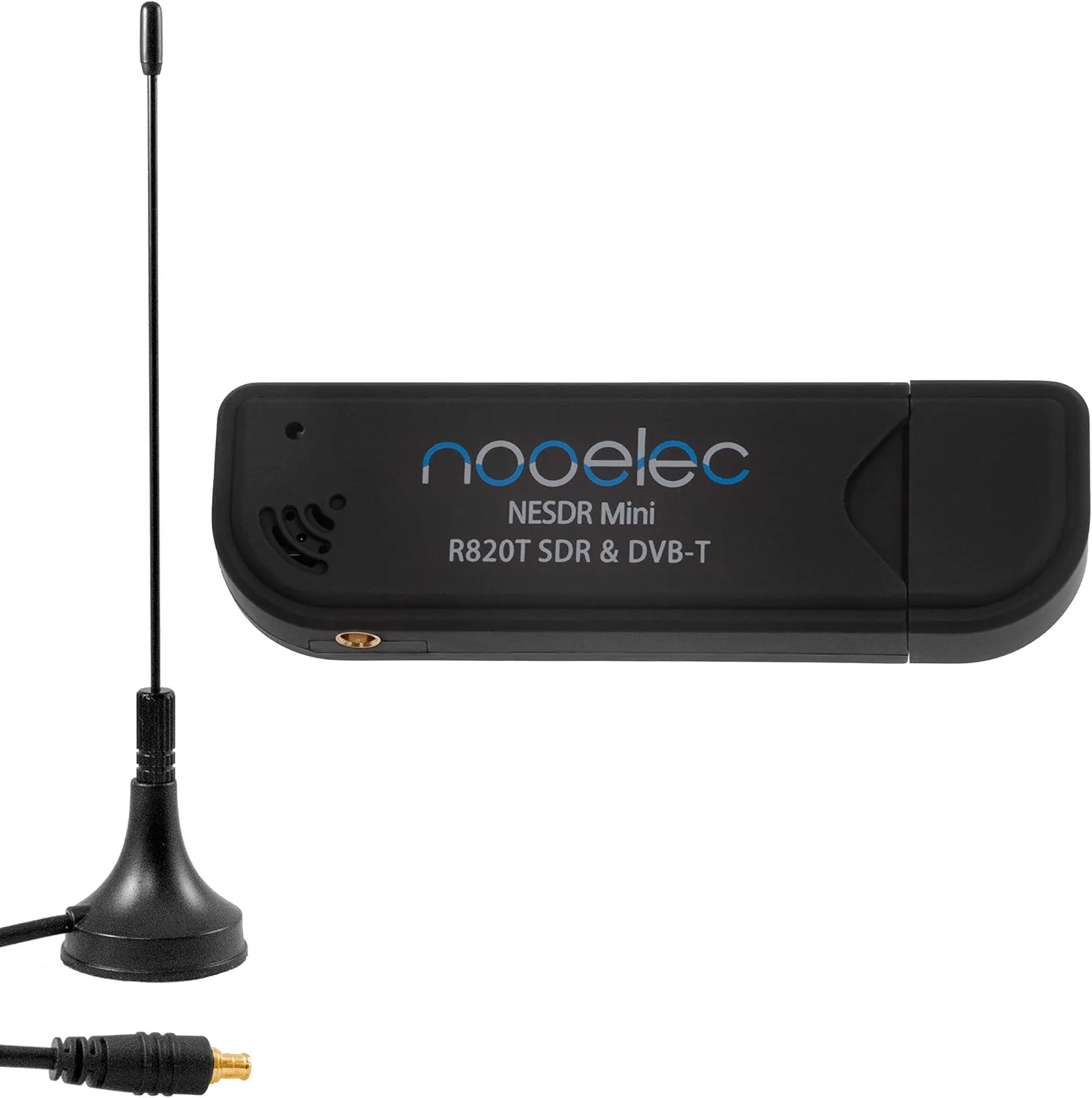
Nooelec NESDR Mini — cheaper alternative, works just as well for 433 MHz. Buy on Amazon
The broker
You also need an MQTT broker reachable from the container. I run Eclipse Mosquitto on k3s — that guide covers the broker side end-to-end.
The plan
One container that:
- Talks to the SDR dongle over USB.
- Decodes 433 MHz packets via
rtl_433. - Publishes JSON-shaped events to your MQTT broker.
The same image runs under Docker Compose on a workstation (good for first-time bring-up) and as a k3s Deployment pinned to whichever node has the dongle plugged in.
Key files for the rest of this post: Dockerfile, entrypoint.sh, docker-compose.yml, and k3s/rtl_433.yaml.
Host prep — blacklist DVB drivers
The kernel dvb_usb_rtl28xxu driver auto-claims any RTL2832U it sees, which means by default the SDR is held by a TV-tuner driver instead of being free for rtl_433. Blacklist it on the host:
echo 'blacklist dvb_usb_rtl28xxu' | sudo tee /etc/modprobe.d/rtl-sdr-blacklist.conf
echo 'blacklist rtl2832'          | sudo tee -a /etc/modprobe.d/rtl-sdr-blacklist.conf
echo 'blacklist rtl2830'          | sudo tee -a /etc/modprobe.d/rtl-sdr-blacklist.conf
sudo rmmod dvb_usb_rtl28xxu rtl2832 rtl2830 2>/dev/null || true
Unplug + replug the dongle (or reboot). Verify with lsusb — you want Realtek RTL2838 showing up unclaimed.
If you ever re-image the Pi or swap in a new node, redo this. It is a one-time-per-host step.
Windows host — usbipd-win + WSL2
If you are building on Windows, Docker Desktop’s daemon runs inside WSL2, so the USB dongle has to be attached to the WSL2 VM, not Windows. From an admin PowerShell:
winget install --interactive --exact dorssel.usbipd-win
usbipd list                       # find the bus-id, e.g. 2-10
usbipd bind   --busid 2-10
usbipd attach --wsl --busid 2-10
bind is one-time. attach has to be re-run after every reboot, unplug, or wsl --shutdown. A logon-triggered Task Scheduler entry takes the manual step out of the loop.
Verify with lsusb inside WSL2 before launching the container.
Windows host — rtl_tcp alternative
If usbipd is too much friction, run rtl_tcp.exe on Windows and have the container connect over TCP:
- Install the rtl-sdr-blog Windows release.
- Use Zadig to swap the kernel driver for WinUSB.
- Run
rtl_tcp.exe -a 0.0.0.0 -p 1234. - Set
RTL_TCP_HOST=host.docker.internalin the container env.
Bonus: the container can live anywhere on the LAN, not just the box with the dongle.
The Dockerfile
Multi-stage build — the heavy CMake/build-essential toolchain gets thrown away, the runtime stage just carries the binary plus the libs it needs.
# syntax=docker/dockerfile:1.6
# ---------- build stage ----------
FROM debian:bookworm-slim AS build
ARG RTL_433_REF=master
RUN apt-get update && apt-get install -y --no-install-recommends \
ca-certificates git cmake build-essential make pkg-config libtool \
libusb-1.0-0-dev librtlsdr-dev rtl-sdr libssl-dev \
&& rm -rf /var/lib/apt/lists/*
WORKDIR /src
RUN git clone https://github.com/merbanan/rtl_433.git \
&& cd rtl_433 \
&& git checkout "${RTL_433_REF}" \
&& mkdir build && cd build \
&& cmake -DCMAKE_BUILD_TYPE=Release -DCMAKE_INSTALL_PREFIX=/usr/local .. \
&& make -j"$(nproc)" \
&& make install DESTDIR=/out
# ---------- runtime stage ----------
FROM debian:bookworm-slim AS runtime
RUN apt-get update && apt-get install -y --no-install-recommends \
ca-certificates librtlsdr0 libusb-1.0-0 libssl3 rtl-sdr usbutils tini \
&& rm -rf /var/lib/apt/lists/*
COPY /out/usr/local /usr/local
COPY entrypoint.sh /usr/local/bin/entrypoint.sh
RUN chmod +x /usr/local/bin/entrypoint.sh
ENTRYPOINT ["/usr/bin/tini", "--", "/usr/local/bin/entrypoint.sh"]
CMD []
A few things to call out:
libssl-devin the build stage — required for TLS-aware MQTT output. Skip it and yourmqtts://URLs silently will not work.tinias PID 1 — without it, SIGTERM does not reachrtl_433cleanly. The container waits the full grace period and gets killed instead of exiting in 100 ms.RTL_433_REFbuild arg — pin to a tag (23.11, etc.) for reproducible builds.masteris fine for hobby use.
The entrypoint
entrypoint.sh builds the rtl_433 invocation from environment variables. If you pass args after the image name, those win and the env is ignored — useful for one-off debugging.
#!/bin/sh
set -eu

if [ "$#" -gt 0 ]; then
    exec rtl_433 "$@"
fi

set --
[ -n "${RTL_TCP_HOST:-}" ] && set -- "$@" -d "rtl_tcp://${RTL_TCP_HOST}:${RTL_TCP_PORT:-1234}"
[ "${UTC_MODE:-true}"     = "true" ] && set -- "$@" -M utc
[ "${OUTPUT_JSON:-true}"  = "true" ] && set -- "$@" -F json

if [ "${MQTT_ENABLED:-false}" = "true" ]; then
    cred=""
    [ -n "${MQTT_USER:-}" ] && [ -n "${MQTT_PASSWORD:-}" ] && cred="${MQTT_USER}:${MQTT_PASSWORD}@"
    spec="mqtt://${cred}${MQTT_HOST}:${MQTT_PORT:-1883}"
    opts=""
    [ -n "${MQTT_EVENTS:-}" ]  && opts="${opts},events=${MQTT_EVENTS}"
    [ -n "${MQTT_STATES:-}" ]  && opts="${opts},states=${MQTT_STATES}"
    [ -n "${MQTT_DEVICES:-}" ] && opts="${opts},devices=${MQTT_DEVICES}"
    [ -n "${MQTT_RETAIN:-}" ]  && opts="${opts},retain=${MQTT_RETAIN}"
    set -- "$@" -F "${spec}${opts}"
fi

# shellcheck disable=SC2086
set -- "$@" ${RTL_433_EXTRA_ARGS:-}
echo "+ rtl_433 $*" >&2
exec rtl_433 "$@"
The echo "+ rtl_433 $*" line is worth keeping — when something is wrong, the first thing you want is the exact command that ran.
The full env reference:
| Var | Purpose |
|---|---|
OUTPUT_JSON, UTC_MODE |
toggle -F json, -M utc |
MQTT_ENABLED |
master switch — without it no mqtt:// flag is added |
MQTT_HOST, MQTT_PORT, MQTT_USER, MQTT_PASSWORD |
broker connection |
MQTT_EVENTS, MQTT_STATES, MQTT_DEVICES, MQTT_RETAIN |
comma-options on the MQTT URL |
RTL_TCP_HOST, RTL_TCP_PORT |
switch from local USB to a remote rtl_tcp server |
RTL_433_EXTRA_ARGS |
escape hatch — anything else, e.g. -R 40 to limit decoders |
Docker Compose for first-run bring-up
Get it working on a workstation before promoting to k3s. Saves a lot of “is it the manifest or is it the dongle?” debugging.
services:
  rtl_433:
    build:
      context: .
      args:
        RTL_433_REF: master
    image: rtl_433:local
    container_name: rtl_433
    restart: unless-stopped

    volumes:
      - /dev/bus/usb:/dev/bus/usb
    device_cgroup_rules:
      - 'c 189:* rmw'
    # privileged: true   # sledgehammer fallback if the above fails

    environment:
      OUTPUT_JSON: "true"
      UTC_MODE: "true"
      MQTT_ENABLED: "true"
      MQTT_HOST: "192.168.1.100"
      MQTT_PORT: "1883"
      MQTT_EVENTS: "pitemp[/model][/id]"
      # RTL_TCP_HOST: "host.docker.internal"
      # RTL_TCP_PORT: "1234"

    extra_hosts:
      - "host.docker.internal:host-gateway"
Bring it up:
docker compose build
docker compose up -d
docker compose logs -f
Inside 30 seconds you should see lines like:
{"time":"2026-04-25 14:02:11","model":"Acurite-Tower","id":1234,"channel":"A","battery_ok":1,"temperature_C":21.4,"humidity":48}
The usb_open error -4 trap
This bit ate me half an afternoon and is the single most useful thing in this post.
Symptom: rtl_test enumerates the dongle, prints Found 1 device(s): Generic RTL2832U OEM, but libusb_open immediately returns -4 (LIBUSB_ERROR_NO_DEVICE). Container will not actually receive anything.
False leads I chased and you can skip:
- DVB kernel modules — already blacklisted,
lsmod | grep -E 'dvb|rtl28'came back empty. usbipd bind/attachstate — both showedAttached.
Actual cause: Compose’s devices: list takes a static device-cgroup snapshot at container start. With usbipd-win, the device file under /dev/bus/usb/BBB/DDD can change identity across attach cycles, and even when the path is right the cgroup rule generated by devices: does not always grant the bits libusb wants.
Fix: swap the static devices: mapping for a dynamic bind mount plus an explicit cgroup rule for the entire USB device class:
volumes:
  - /dev/bus/usb:/dev/bus/usb
device_cgroup_rules:
  - 'c 189:* rmw'   # USB major
That is what is already in the compose file above — calling it out because if you skip it and reach for privileged: true instead, you have taken the sledgehammer when you did not need to.
Publishing a multi-arch image
For a Pi cluster you need an arm64 build. For a mixed cluster (or to test locally on x86), you want both. buildx handles the cross-build:
#!/usr/bin/env bash
set -euo pipefail

: "${DOCKERHUB_USER:?set DOCKERHUB_USER}"
IMAGE="${DOCKERHUB_USER}/rtl_433"
TAG="${TAG:-$(git rev-parse --short HEAD)}"
PLATFORMS="${PLATFORMS:-linux/amd64,linux/arm64}"

if ! docker buildx inspect rtl433-builder >/dev/null 2>&1; then
    docker buildx create --name rtl433-builder --use
else
    docker buildx use rtl433-builder
fi
docker buildx inspect --bootstrap >/dev/null

docker buildx build \
    --platform "${PLATFORMS}" \
    --tag "${IMAGE}:${TAG}" \
    --tag "${IMAGE}:latest" \
    --push .
Notes:
- First buildx run bootstraps a builder; subsequent runs are fast.
- The
arm64leg runs under qemu when built from x86 — expect minutes, not seconds, the first time. - For an all-Pi cluster, override
PLATFORMS=linux/arm64to halve the build.
The k3s manifest
A single YAML covering namespace, secret, configmap, and deployment. Apply with kubectl apply -f rtl_433.yaml after editing the image and broker host.
---
apiVersion: v1
kind: Namespace
metadata:
  name: rtl433
---
apiVersion: v1
kind: Secret
metadata:
  name: rtl433-mqtt
  namespace: rtl433
type: Opaque
stringData:
  MQTT_USER: ""
  MQTT_PASSWORD: ""
---
apiVersion: v1
kind: ConfigMap
metadata:
  name: rtl433-config
  namespace: rtl433
data:
  OUTPUT_JSON: "true"
  UTC_MODE: "true"
  MQTT_ENABLED: "true"
  MQTT_HOST: "192.168.1.100"
  MQTT_PORT: "1883"
  MQTT_EVENTS: "pitemp[/model][/id]"
---
apiVersion: apps/v1
kind: Deployment
metadata:
  name: rtl433
  namespace: rtl433
spec:
  replicas: 1
  strategy:
    type: Recreate
  selector:
    matchLabels:
      app: rtl433
  template:
    metadata:
      labels:
        app: rtl433
    spec:
      nodeSelector:
        rtl433/sdr: "true"
      containers:
        - name: rtl433
          image: DOCKERHUB_USER/rtl_433:latest
          imagePullPolicy: Always
          envFrom:
            - configMapRef:
                name: rtl433-config
            - secretRef:
                name: rtl433-mqtt
          securityContext:
            privileged: true
          volumeMounts:
            - name: usb
              mountPath: /dev/bus/usb
      volumes:
        - name: usb
          hostPath:
            path: /dev/bus/usb
            type: Directory
Three things in there that look harmless but matter:
Pin to the node with the dongle
The dongle physically lives on one Pi. Label that node and use nodeSelector to keep the pod there:
kubectl label node <nodename> rtl433/sdr=true
Without the label the scheduler can drop the pod on any node, where it will just sit complaining about No supported devices found.
Single replica + Recreate strategy
replicas: 1
strategy:
  type: Recreate
Only one process can hold the SDR at a time. The default rolling-update strategy briefly spins up a second pod alongside the first — it will fight for the dongle and lose. Recreate kills the old pod first, the new one comes up clean.
USB passthrough on k3s
securityContext:
  privileged: true
volumeMounts:
  - name: usb
    mountPath: /dev/bus/usb
volumes:
  - name: usb
    hostPath:
      path: /dev/bus/usb
      type: Directory
This is the pragmatic choice. The “proper” alternative is a USB device plugin like smarter-device-manager that exposes /dev/bus/usb/* as a schedulable resource. Worth knowing about, overkill for a single dongle on a homelab cluster.
Verifying end-to-end
From any box on the LAN that has the mosquitto clients installed:
mosquitto_sub -h 192.168.1.100 -t 'pitemp/#' -v
Within 30 seconds you will see your AcuRite messages flowing. If the dongle is outdoors-adjacent you will also pick up neighbors’ weather stations, tire-pressure sensors driving by, doorbells from down the street — the 433 MHz band is busier than you would think.
CreateContainerConfigError?
If the pod sticks in CreateContainerConfigError, it is almost always one of:
- A typo’d
SecretorConfigMapname (or the wrong namespace). envFrom: secretRefpointing at a Secret with a key the workload does not know how to consume.- Empty
stringDatavalues rejected by a Pod Security Admission policy.
kubectl -n rtl433 describe pod events tell you exactly which object/key. Always the first debugging step.
What’s next
Once data is on the broker the rest is easy:
- Home Assistant picks
rtl_433up via its built-in MQTT integration. Point HA at the same broker and add MQTT sensor entries withstate_topic: pitemp/Acurite-Tower/1234. Or use one of thertl_433-aware add-ons that auto-discovers devices. - Node-RED is great for the “if outdoor temp > 90 then turn on the basement fan” style of automation.
- Restrict decoders with
RTL_433_EXTRA_ARGS="-R 40 -R 11"once you know the protocol IDs of your sensors. Cuts noise dramatically. - TLS to the broker if you are going to expose any of this beyond the LAN —
libssl-devis in the build stage exactly somqtts://works.
Total hardware bill of materials is around $50–$70 depending on which AcuRite kit you go with, and once it is wired up you have a foundation for every other 433 MHz sensor you ever buy. Hard to beat for the price.